Restaurant food waste management software
Food waste management software for restaurants.
Record food waste by product, quantity, reason and location. Connect each recorded loss to inventory and its available cost basis, then review recurring patterns to decide what to investigate next.
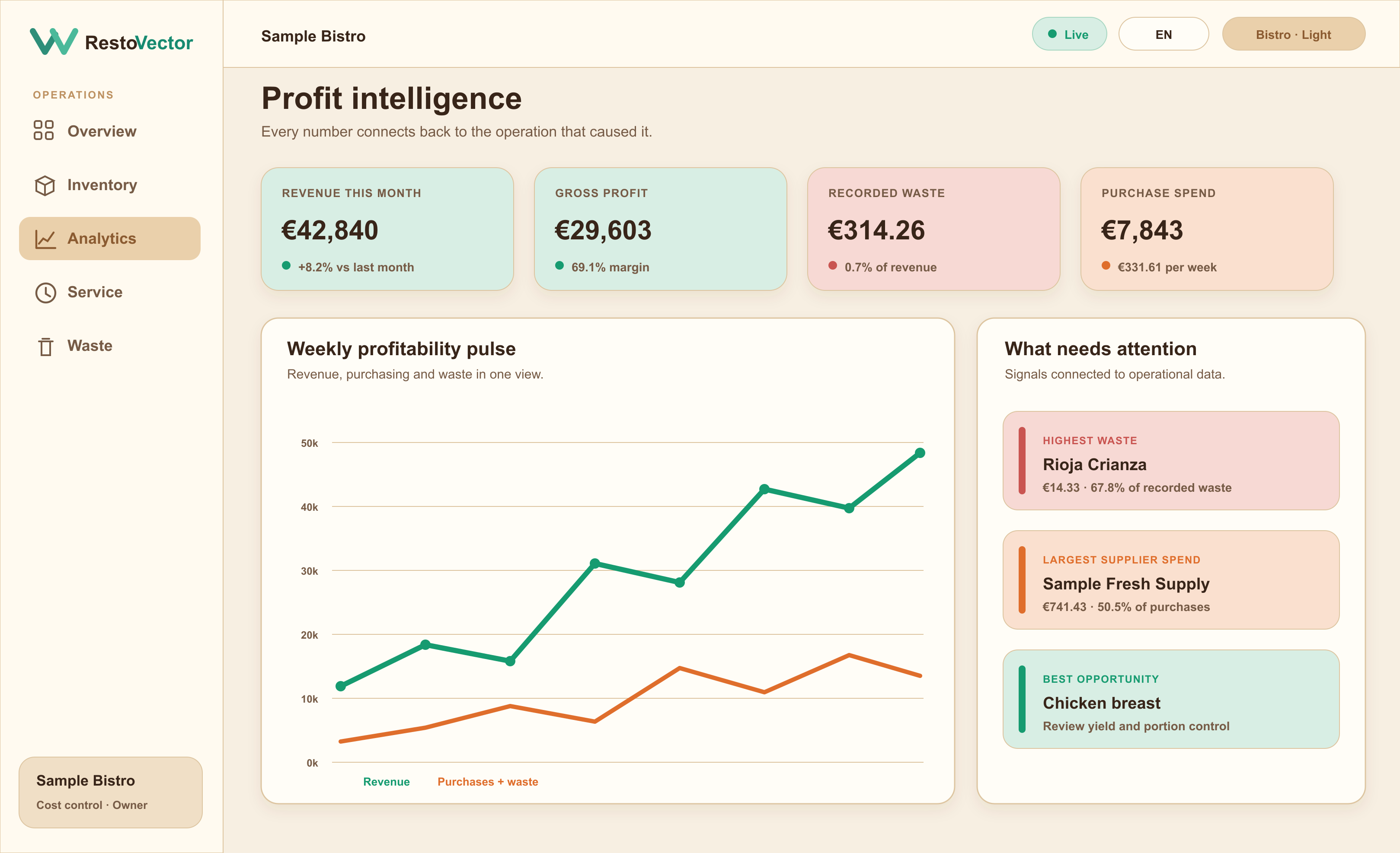
RestoVector is in a controlled pilot with selected restaurants. The screen uses example data. A waste record measures a recorded loss; any reduction must be checked against subsequent restaurant records.
The operational problem
Why a single monthly waste number is not enough
Spoilage, preparation trim, overproduction and plate waste have different causes. Treating them as one total hides whether the solution belongs in purchasing, stock rotation, preparation, portioning or production planning.
Record waste with operational context
Choose the product, quantity, reason and location so the waste movement updates stock and keeps the evidence needed for review.
- ✓ Product and quantity
- ✓ Waste reason
- ✓ Restaurant location
- ✓ Recorded cost at the available product value
Separate recurring loss from one-off events
Compare products and reasons across periods to identify repeated patterns. Recommendations should describe the recorded evidence and remain estimates for management review.
- ✓ Waste cost per week
- ✓ Waste by product and category
- ✓ Recurring opportunity estimates
- ✓ Product-specific recommended reviews
Connect waste to purchasing and margin
Waste removes inventory and affects recorded contribution. Viewing it beside supplier spend, product prices and sales gives owners a more complete picture than a standalone waste log.
- ✓ Inventory deduction
- ✓ Purchase-spend comparison
- ✓ Margin impact
- ✓ Location and period filtering
Connected workflow
From a waste event to corrective action
- 01Select the product→
- 02Record quantity and reason→
- 03Update inventory→
- 04Calculate recorded cost→
- 05Compare the pattern→
- 06Review the operational cause
Example: overproduction at the end of service
Illustrative example: six unsold portions cost €2.40 each in ingredients. Their recorded ingredient cost is €14.40. If the same event happens four times in a week, that is €57.60. Those figures describe the example waste pattern, not proven savings.
- ✓ Record the product and the six portions actually discarded.
- ✓ Use recipe cost per portion, not the menu selling price.
- ✓ Keep the reason, location and date with the record.
Start with a baseline the kitchen can maintain
Choose one product or recurring waste reason. Record the amount discarded across representative services, then review the pattern with the kitchen. Compare similar service periods after a change and account for differences in covers or production volume.
- ✓ Use consistent units and clearly defined reasons.
- ✓ Keep preparation loss separate from overproduction and spoilage.
- ✓ Assign a specific action and review what actually changed.
What to check in a waste-management demo
Ask to record a waste event and follow the selected product and quantity into its inventory movement. Then review the cost basis and the records used in the period comparison. Software depends on staff recording the event; it cannot explain a loss that was never entered.
- ✓ Confirm the quantity deducted and the cost used.
- ✓ Check how the restaurant location and staff role affect access.
- ✓ Ask how missing costs and opportunity estimates are presented.
Who it is for
Built for practical waste control during restaurant operations
Kitchen and management teams can record waste as it happens, while owners review financial patterns without exposing unrelated company data to every role.
- ✓Spoilage and expiry
- ✓Preparation trim
- ✓Overproduction
- ✓Portion and plate waste
- ✓Multi-location comparison
Frequently asked questions
Restaurant food waste software questions
What types of restaurant waste can RestoVector track?
Restaurants can record product quantities against operational reasons such as spoilage, preparation trim and overproduction, while retaining location and cost context.
Does recording waste update inventory?
Yes. A recorded waste event creates an inventory outflow for the selected product and quantity.
Can RestoVector show which products cause the most waste cost?
Yes. Analytics can break waste down by product, category, reason, location and period, based on the records available.
Are waste recommendations automatic decisions?
No. Recommendations are evidence-based estimates for management review. RestoVector should show the records and assumptions behind them rather than acting without approval.
Is waste cost the same as lost sales or guaranteed savings?
No. Ingredient cost, possible lost sales and future savings are different measures. A waste record values the recorded loss using its cost basis. A saving needs evidence that purchasing or other costs decreased after a change.
See RestoVector
See how a waste record connects to stock and cost reports.
In a demonstration, follow a recorded loss from the product and quantity through its inventory movement and cost basis. Review how the report separates recurring waste by reason and period.