Restaurant inventory management software
Restaurant stock that explains how every quantity changed.
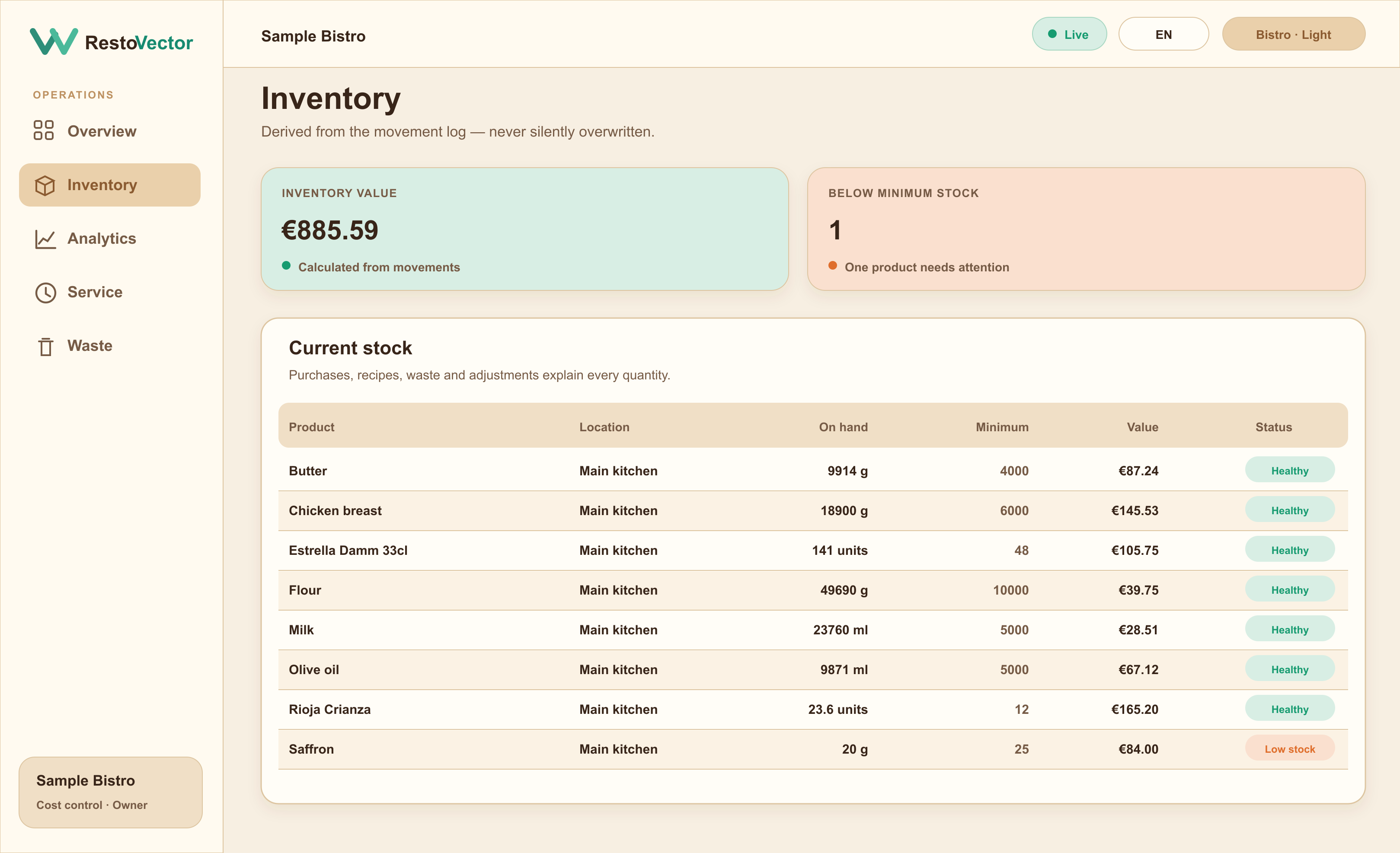
RestoVector derives stock from purchases, recipe usage, waste and adjustments. Teams can see what is on hand, what is below minimum and the movements behind the number.
Inventory is more trustworthy when it is calculated from traceable movements instead of being repeatedly overwritten with a new total.
The operational problem
Why restaurant inventory rarely matches reality
Deliveries, preparation, waste and sales happen throughout service. When those events are recorded separately—or not at all—the final stock count cannot explain where the difference came from.
Build stock from accountable movements
Purchases add stock, completed recipes deduct ingredients, waste removes recorded quantities and approved adjustments correct verified differences. The result is a history that management can inspect.
- ✓ Purchasing and receiving
- ✓ Recipe-based ingredient usage
- ✓ Waste and spoilage movements
- ✓ Controlled stock adjustments
Catch low stock before service is affected
Set minimum levels by product and location. Products below minimum remain visible and can be added to the next general order, scheduled for a date or marked for urgent replenishment.
- ✓ Minimum-stock thresholds
- ✓ Deficit calculation
- ✓ Supplier and last-price context
- ✓ Planned and urgent replenishment
Coordinate purchasing across locations
Owners and permitted managers can review stock and purchasing by restaurant location while staff access remains limited by role and assigned location.
- ✓ Location-specific inventory
- ✓ Supplier purchase orders
- ✓ Delivery and receiving records
- ✓ Role-based access
Connected workflow
A traceable restaurant inventory cycle
- 01Create products→
- 02Receive purchases→
- 03Sell recipe dishes→
- 04Record waste→
- 05Review stock and value→
- 06Replenish what is needed
Who it is for
Useful from the first stock count to multi-location control
Restaurants can use manual inventory in Quick Start mode or connect dish recipes for automatic ingredient deductions. The same structure supports a single site and permitted multi-location oversight.
- ✓Food and beverage inventory
- ✓Dry, chilled and frozen products
- ✓Multiple storage locations
- ✓Supplier purchasing
- ✓Owner and manager review
Frequently asked questions
Restaurant inventory software questions
How does RestoVector calculate stock on hand?
Stock on hand is derived from recorded movements such as opening quantities, received purchases, recipe usage, waste and approved adjustments.
Does a dish order reduce ingredient stock?
Yes in Full Cost Control mode. When the order is completed, the dish recipe provides the ingredient quantities used for the inventory deduction.
Can managers order products that are out of stock?
Permitted users can open products requiring attention and choose whether replenishment belongs to the next general order, a selected date or an urgent order.
Can inventory be separated by restaurant location?
Yes. Inventory, purchasing and operational access can be scoped by location so users only see the data their role permits.
See RestoVector
See how it fits your restaurant operation.
Request a demonstration built around your service, kitchen, inventory and cost-control workflow.