Restaurant profitability software
See your restaurant profit—and the operations changing it.
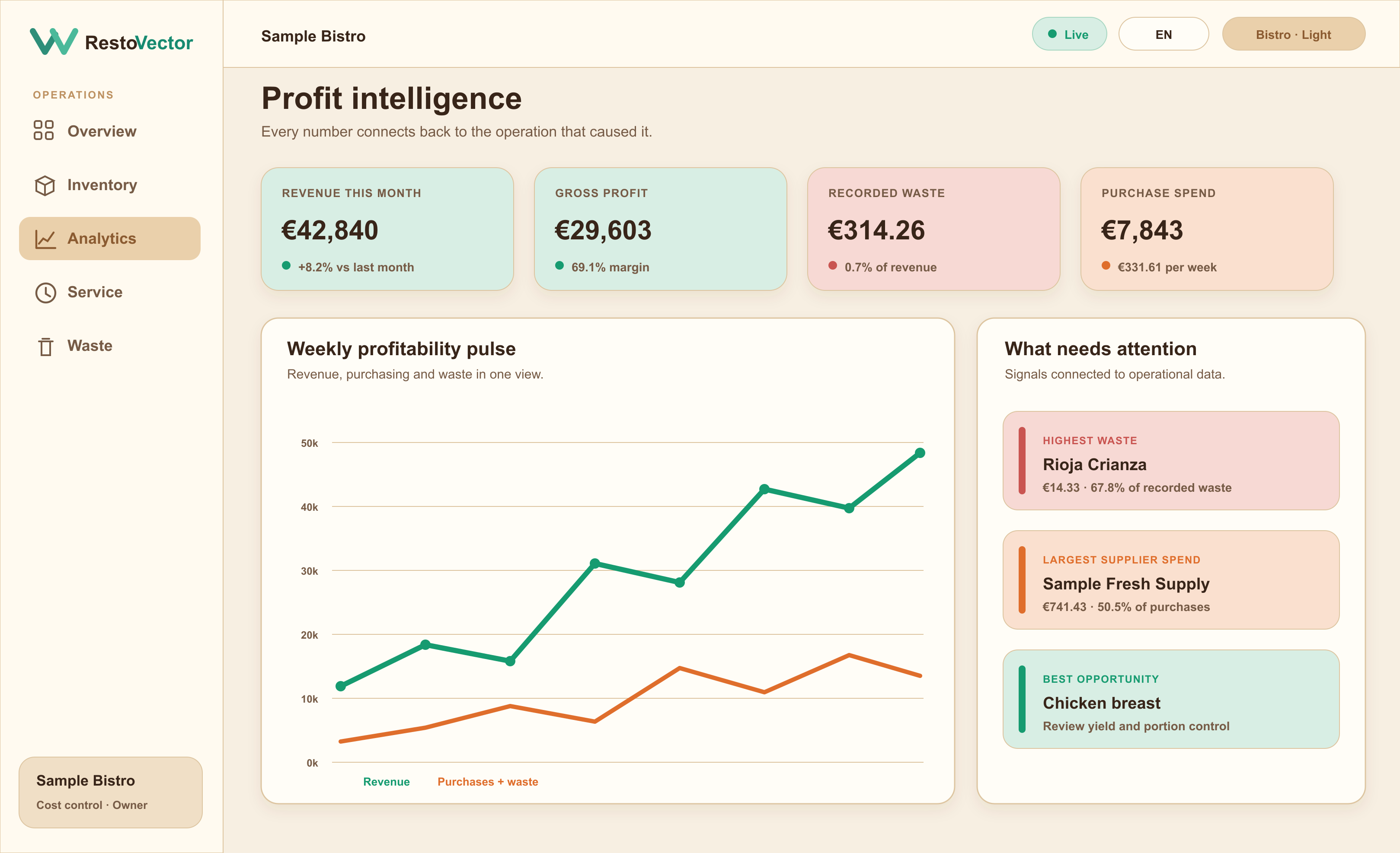
RestoVector connects revenue with recipe costs, purchasing, waste, inventory movements and service activity so owners can review an operational profit picture and trace the causes behind a change.
A final profit number tells you what happened. RestoVector is designed to show which dishes, ingredients, waste events, supplier prices and operating records moved it.
The operational problem
Why restaurant profit is difficult to explain
Sales may sit in one system while supplier prices, recipes, stock, waste and kitchen activity live elsewhere. The owner receives a result but cannot quickly see whether it changed because of menu mix, ingredient cost, waste, purchasing or incomplete records.
Build a profit view from connected operations
Completed orders provide recorded revenue. Recipes and purchase prices provide ingredient cost, while waste and inventory movements show additional operating losses. RestoVector brings those records into one management view.
- ✓ Recorded sales and dish contribution
- ✓ Recipe and ingredient cost
- ✓ Purchasing and supplier price changes
- ✓ Waste and inventory impact
Trace a change back to its cause
Move from the headline result to the dishes, products and events behind it. Managers can compare periods and review the evidence before changing a supplier, menu price, portion or purchasing decision.
- ✓ Dish and menu mix
- ✓ Ingredient price movement
- ✓ Usage and stock variance
- ✓ Waste by product and reason
Separate measured results from estimates
RestoVector labels example data, forecasts and opportunity estimates so they are not confused with recorded results. Missing operational records should be surfaced instead of silently replaced with assumptions.
- ✓ Traceable source records
- ✓ Visible data-coverage gaps
- ✓ Forecast ranges, not guarantees
- ✓ Role-controlled owner and manager views
Connected workflow
How restaurant activity becomes a profit explanation
- 01Orders create revenue→
- 02Recipes record cost→
- 03Purchases update prices→
- 04Waste records loss→
- 05Analytics compares periods→
- 06Management reviews the drivers
Who it is for
Profit control for owners who need operational answers
RestoVector focuses on day-to-day restaurant profitability and the operational records that influence it. It complements bookkeeping and statutory accounts; it is not presented as a replacement for an accountant or general ledger.
- ✓Independent restaurant owners
- ✓General and operations managers
- ✓Food-led bars and cafés
- ✓Restaurant groups
- ✓Teams moving beyond spreadsheets
Frequently asked questions
Restaurant profitability software questions
What is restaurant profitability software?
It connects restaurant revenue and operating-cost records so owners can see a current profitability picture and investigate the dishes, purchases, waste and inventory events behind it.
Does RestoVector replace restaurant accounting software?
No. RestoVector focuses on operational profit control: orders, recipes, purchasing, inventory, waste and performance. Bookkeeping, tax filings and statutory accounts remain in the appropriate accounting system.
Can I see why restaurant profit changed?
When the supporting records are available, RestoVector can compare periods and highlight changes in dish mix, supplier prices, ingredient usage, waste and other operational drivers for management review.
Does it work before every recipe is configured?
Yes. A restaurant can begin with simpler operational records and add recipes and automated ingredient deductions gradually. RestoVector should identify where missing data limits the analysis.
See RestoVector
See how it fits your restaurant operation.
Request a demonstration built around your service, kitchen, inventory and cost-control workflow.