Restaurant purchasing software
Control every restaurant purchase from order to margin.
RestoVector connects supplier orders, receiving, product prices and inventory movements so restaurant teams can buy with current information and trace the cost effect of every delivery.
A purchase should do more than create an invoice. It should update stock, preserve price history and give management evidence when supplier costs change.
The operational problem
Why restaurant purchasing loses control between order and delivery
Orders are often sent by email, phone or message while deliveries, invoices and stock are recorded somewhere else. That separation makes it difficult to confirm what arrived, explain a price increase or know whether the next order is actually needed.
Create purchase orders from current stock needs
Review products requiring attention, supplier context and recent purchase information before building the order. Planned and urgent replenishment remain visible instead of living in separate messages.
- ✓ Products below minimum
- ✓ Supplier and pack context
- ✓ Last recorded purchase price
- ✓ Planned and urgent orders
Receive deliveries into a traceable inventory record
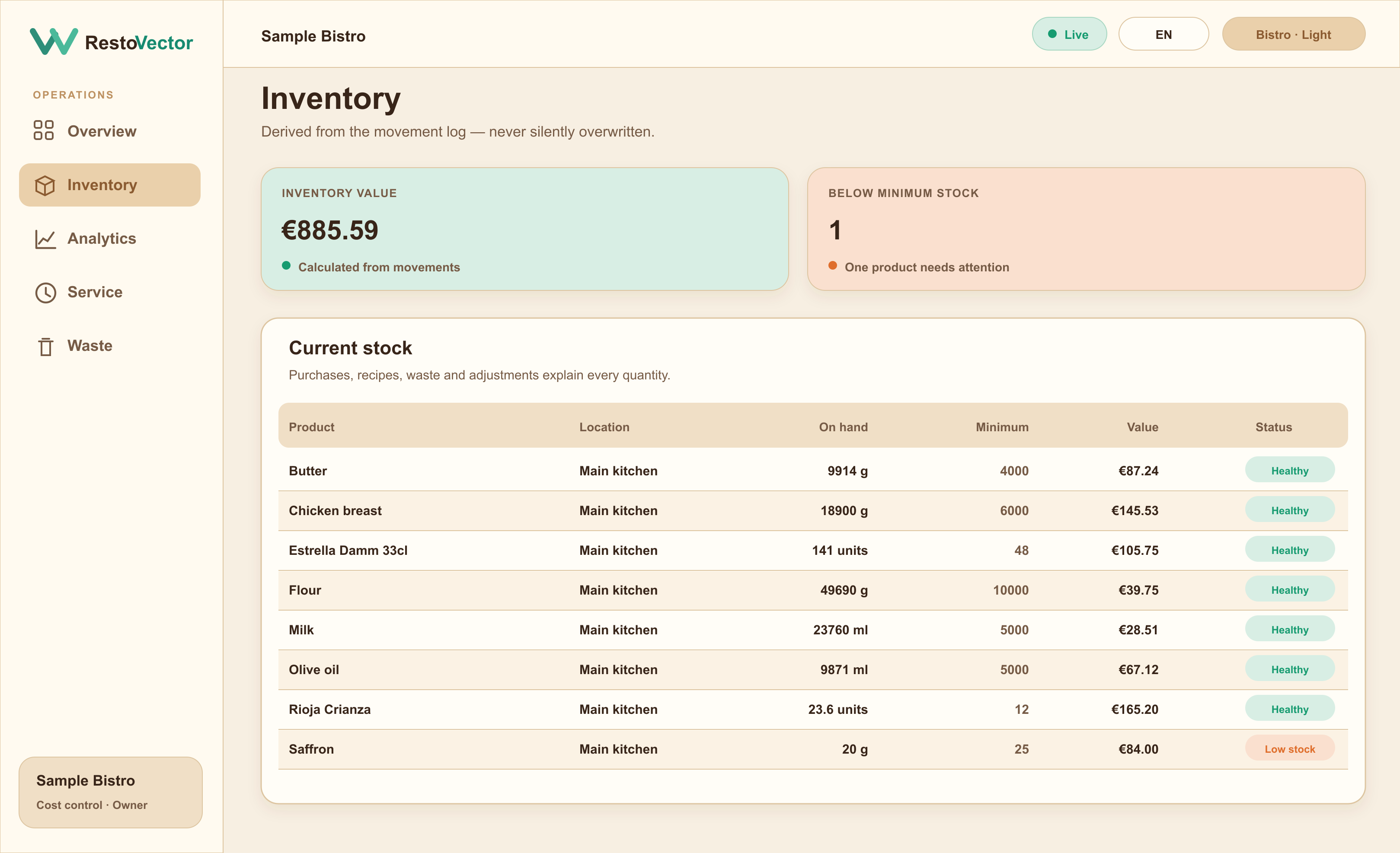
Record the quantities received and connect the delivery to its supplier order. Accepted purchases add stock through an accountable movement rather than silently replacing the inventory total.
- ✓ Ordered and received quantities
- ✓ Receiving date and location
- ✓ Inventory inflow
- ✓ Delivery history for review
See how supplier prices affect food cost
Purchase history preserves the price context behind products and recipes. Managers can review which increases are material and where a supplier, menu or purchasing decision deserves attention.
- ✓ Price history by product
- ✓ Supplier spend context
- ✓ Recipe and dish-cost effect
- ✓ Evidence-based management review
Connected workflow
A connected restaurant purchasing cycle
- 01Review stock needs→
- 02Build the order→
- 03Send to supplier→
- 04Receive delivery→
- 05Update inventory→
- 06Review price impact
Who it is for
Purchasing control for one restaurant or a permitted group
RestoVector keeps purchasing and inventory scoped by restaurant location while owners and authorised managers review the records their role permits. Restaurants can begin with manual stock and add deeper recipe costing over time.
- ✓Independent restaurants
- ✓Restaurant groups
- ✓Central purchasing teams
- ✓Multiple suppliers per location
- ✓Owner and manager approvals
Frequently asked questions
Restaurant purchasing software questions
What is restaurant purchasing software?
Restaurant purchasing software organises supplier orders, receiving, product prices and stock updates so teams can trace what was ordered, what arrived and how the purchase affected inventory and cost.
Does receiving a purchase update inventory?
Yes. An accepted receiving record can add the delivered quantities to inventory as traceable movements for the selected restaurant location.
Can RestoVector retain supplier price history?
Yes. Recorded purchases preserve product and supplier price context so management can compare changes instead of seeing only the latest value.
Can purchasing be separated by restaurant location?
Yes. Purchase orders, receiving and inventory can be scoped by location, with broader oversight limited to authorised owner and manager roles.
See RestoVector
See how it fits your restaurant operation.
Request a demonstration built around your service, kitchen, inventory and cost-control workflow.