Restaurant management software
Manage the restaurant through one connected operational record.
RestoVector restaurant management software links table seating, orders, kitchen preparation, service, payment, ingredient usage, purchasing and management analytics.
The result is one operational record shared by role—not another disconnected report that someone must reconcile later.
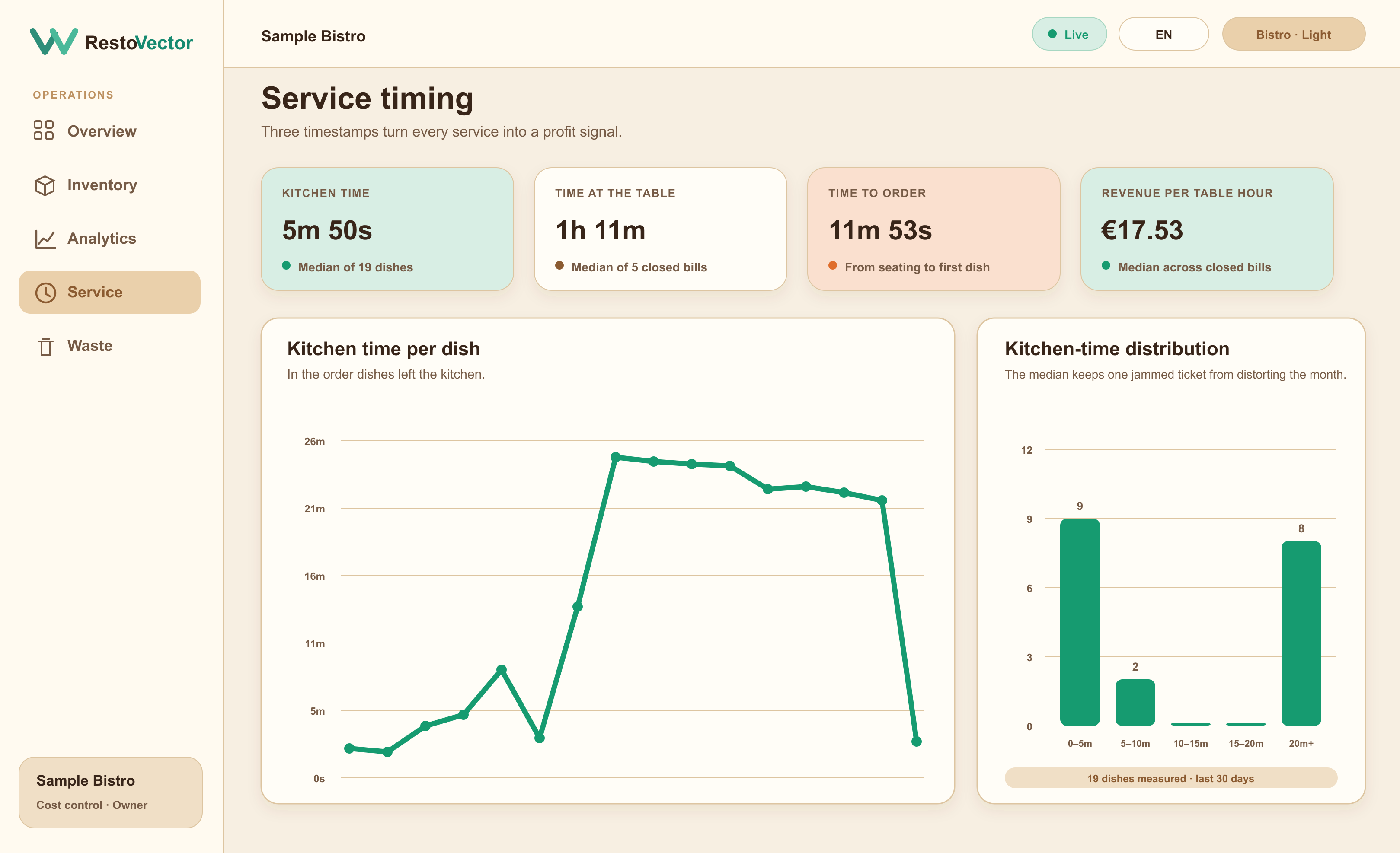
The operational problem
Restaurant data loses value when every team uses a separate record
A waiter knows what was ordered, the kitchen knows what was prepared and the owner sees a final sales figure. When those events are disconnected, it is difficult to explain stock usage, service time or margin.
Give each role the workspace it needs
Waiters work in Service, cooks work in Kitchen, managers can operate Service and Kitchen with permitted cost control, and owners can review the full restaurant record.
- ✓ Waiter service access
- ✓ Cook kitchen access
- ✓ Manager permissions
- ✓ Owner and company separation
Keep order states consistent
Dish and bill states move through cooking, ready, served, finished and paid so different devices see the same restaurant workflow and timestamps.
- ✓ Table and walk-in service
- ✓ Kitchen preparation states
- ✓ Served and finished states
- ✓ Payment and bill closure
Use operations to update control records
Completed sales can deduct recipe ingredients, record cost and update analytics. Purchasing and waste contribute their own movements to the same inventory history.
- ✓ Recipe deductions
- ✓ Inventory movements
- ✓ Service and kitchen timing
- ✓ Owner analytics across permitted locations
Connected workflow
The connected RestoVector workflow
- 01Waiter orders→
- 02Kitchen prepares→
- 03Service serves→
- 04Payment closes→
- 05Inventory deducts→
- 06Analytics updates
Who it is for
One platform, different role views, the same restaurant record
Every person signs in with their own role and location scope. Orders and updates stay connected while access controls prevent restaurant staff from seeing data outside their responsibilities.
- ✓Table service restaurants
- ✓Bars and cafés
- ✓Multi-location operators
- ✓Owner remote oversight
- ✓Kitchen and service tablets
Frequently asked questions
Restaurant management software questions
Can waiters and cooks use RestoVector on different devices?
Yes. Each person signs in on a phone, tablet or computer. Their role controls the sections they can open while accepted restaurant updates use the same underlying data.
Can an owner see restaurant revenue remotely?
An owner can sign in from a permitted device to review current recorded revenue and operational analytics for the locations their account can access.
Does RestoVector support table and walk-in service?
Yes. A waiter can mark a table as occupied first and take the order later, or open the order during seating. Joined tables can operate as one temporary group.
Can managers be restricted from sensitive information?
Yes. Manager access can be governed by role, location and sensitive assistant categories, while owners retain broader oversight.
See RestoVector
See how it fits your restaurant operation.
Request a demonstration built around your service, kitchen, inventory and cost-control workflow.